
How to Block a Scene: Marks, Eyelines and 180°
Blocking means deciding where people stand, where they move and where the camera sits. Good blocking makes a scene easy to follow and easy to cut.
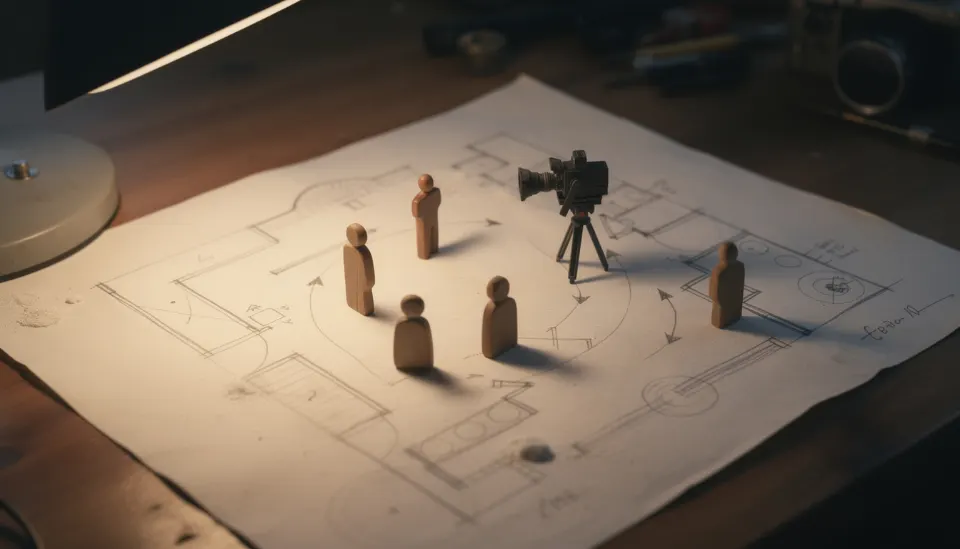
Draw a floor plan
Start with the room seen from above. Mark the walls, doors, windows and big furniture.
For NORA'S KITCHEN: a table in the middle, a window over the sink, the back door to the yard.
Set the actors' marks
A mark is a spot where a person stops. Give each person a start mark and an end mark for the scene.
NORA starts at the sink. THE BOY enters by the back door and stops at the table.
Plan the moves
Draw arrows for each move. Every move should have a reason in the story.
THE BOY crosses to the table because he wants to show her the shell he found. NORA does not turn round.
Draw the line of action
Draw a line between the two people who talk or look at each other. This is the line of action.
Keep the camera on one side of it. This is the 180° rule. It keeps NORA on the left and THE BOY on the right in every shot, so the audience never gets lost.
Match the eyelines
When NORA looks at THE BOY, she should look off frame toward where he stands. In his shot, he looks back the other way.
If one is taller or seated, the eyeline goes up or down to match.
Place the camera
Choose a spot for each shot on the floor plan. Note its height and lens.
A wide from the doorway shows the whole room. Closer shots sit on the same side of the line.
Test it in Stage
In Stage, build the room with simple shapes, place NORA and THE BOY, add the table, then place the camera.
Look through the lens to see the real frame. If a head is hidden behind the lamp, move someone and look again.
Take a picture of each setup
When a frame works, take a picture. It becomes a storyboard frame you can attach to the shot in Shoot.
Free, in your browser, nothing to install.
Questions
Can I ever break the 180° rule?
Yes, on purpose. Cross the line on screen with a moving camera, or cut across it to show confusion. Do it as a choice, not by accident.
Does blocking matter for AI video?
Yes. If you decide positions first, you can describe them the same way in every prompt. That keeps people on the same side of the frame from shot to shot.
Do I need to model the set in detail in Stage?
No. Boxes and simple figures are enough. You only need the size and position of things to judge the frame.