
How to Keep AI Characters Consistent Across Shots
AI video tools forget your character between shots. The fix is not a better prompt. It is a fixed set of facts and pictures that you reuse every time.
Write the facts down first
Before you generate anything, write who the person is. Age, build, face, hair, clothes, and how they move.
In Low Tide, NORA is a widowed fisher in her 40s. She has a weathered face, grey streaks in dark hair tied back, and a yellow oilskin coat over a navy jumper.
- Age and build
- Face and hair
- Clothes for each part of the story
- One habit or gesture
Use the same words every time
Pick one short description and copy it into every prompt. Do not rewrite it from memory.
Small changes in wording give you small changes in the face. Over ten shots those add up to a different person.
Make one set of reference images
Make or find a front view, a side view and a full body view. Keep the same light and the same clothes in all three.
Give these images to every tool that accepts references. They carry more detail than words can.
Lock the look
When a look is right, lock it in Plan. A locked look is the one you use from now on.
If the story needs a change, such as NORA soaked after the storm, make a new named look. Do not edit the old one.
Split looks by story moment
One character can have several looks. THE BOY at home in a jumper is a different look from THE BOY on the harbour wall in a borrowed coat.
Name each look so you always know which one a shot needs.
Log the take that worked
When a shot comes out right, save the prompt, the tool and the reference images with it in Shoot.
Next time you need the same person, you start from what worked, not from a blank page.
Check shots side by side
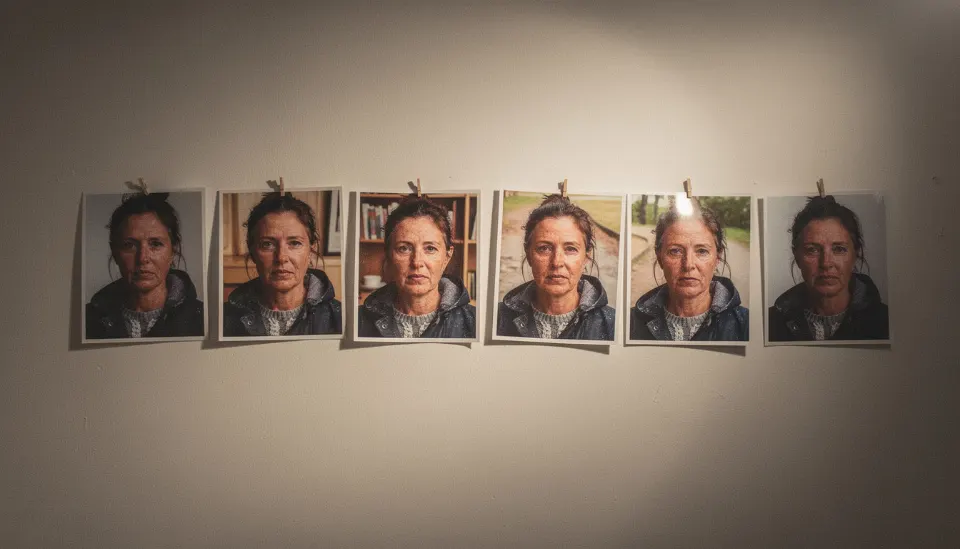
Put the kept takes next to each other before you lock a scene. Look at the face, the hair line and the clothes.
If one shot drifts, regenerate that shot with the locked references. Do not fix it by changing the bible.
Free, in your browser, nothing to install.
Questions
Do I need a LoRA or custom model for consistency?
Not always. Many people get close with fixed wording and the same reference images. A trained model is one more option, and SEEN treats it as a tool, not as the character.
Why does my character change when the camera moves?
The tool fills in details it cannot see. A side or back view that was never shown gets invented. Give it reference images from those angles.
Can I keep the same character across different video tools?
Yes, as far as each tool allows. Use the same words and the same images in each one, and note which tool made each take.